
Dashboard
Your Genio Admin Dashboard is where you'll see all your users listed.
By default, you'll only see your current active users and waiting invites, but you can tick the 'Show Deactivated' checkbox in your Filters to see all users on your account.
From the Dashboard, you can:
- 1
-
View and Manage other Admins
- 2
-
Manage user access
- 3
-
Manage Deactivated users
- 4
-
View Status Filters and Status History

Multi-Product Organisations
You will have an additional products column to easily track and see what products each user has for their account.
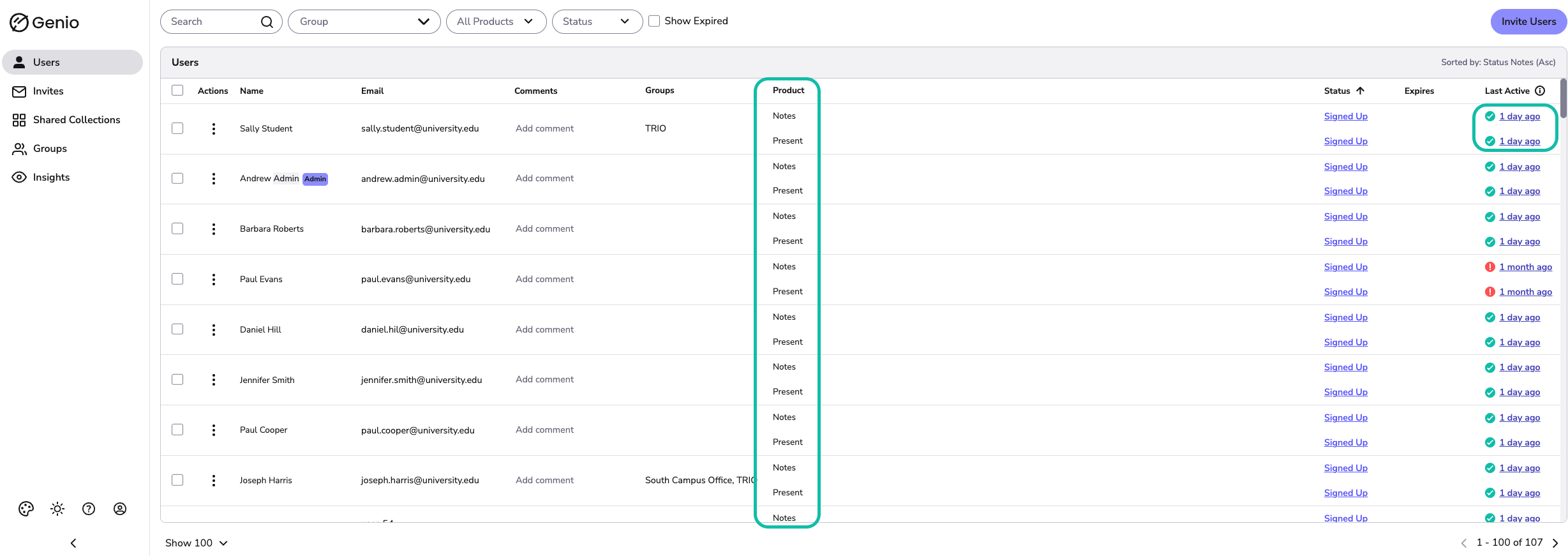
User Activity
The Last Active column shows when the user last accessed a Genio Notes Event or Genio Present Rehearsal, either by opening an existing Event/Rehearsal or creating a new session.
Note that the Last Active Column will only update if the user was online while using Genio.
User Searches
When searching for a user, results may be found elsewhere. The Genio Admin portal will display the relevant results found, for example:
