
Bulk Actions
The Genio Admin Portal allows you to manage users in bulk. Selecting users with the check boxes to the left allows you to choose from various bulk actions.
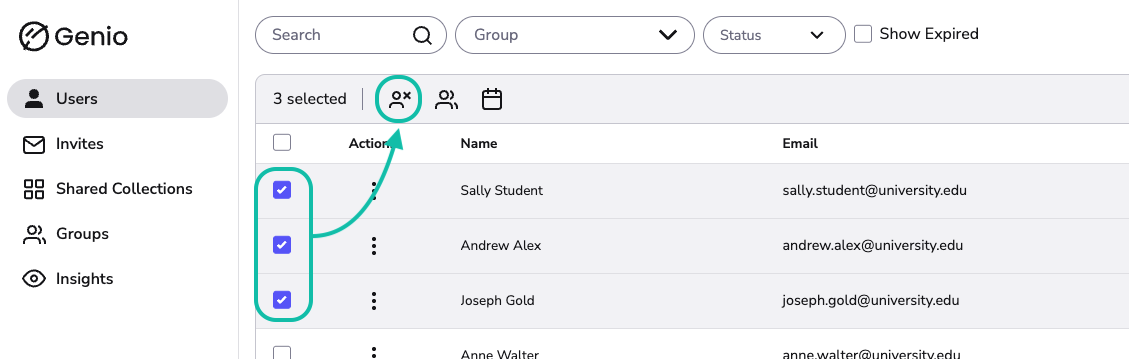
Info - The actions available are contextual, so you'll get different options on the Users Tab and Invites Tab
Users Tab
Selecting users gives you the options:
Info - You can also deactivate users in bulk by uploading a CSV file. This is useful for large groups. Find out more here: https://help.genio.co/article/336-bulk-expire-access
Info - Reactivating deactivated users in bulk is something we're hoping to bring in a future update.
Invites Tab
Selecting users gives you the option:
Info - You can also bulk invite new users to Genio by uploading a CSV file. Find out more here: https://help.genio.co/article/248-bulk-invites