
Bulk Deactivate Access
You can deactivate many users' access to Genio at once. There are two ways to do this:
- Select users from your list: best for a handful of users you can find on screen.
- Upload a CSV file: best for large groups, such as a whole cohort at the end of term.
In this guide:
Select users from your list
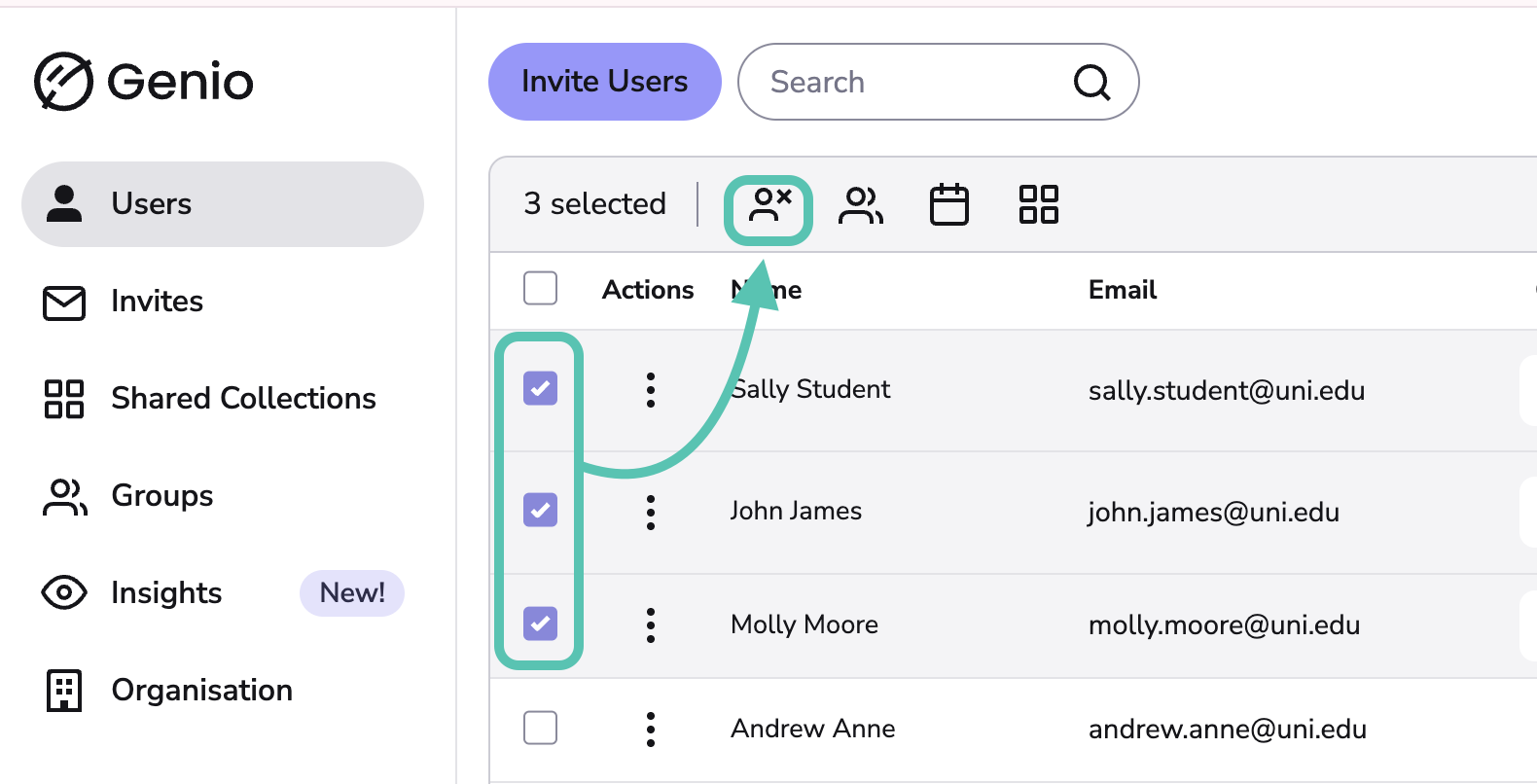
- On the Users tab, tick the checkbox next to each user you want to deactivate. To select everyone, tick the checkbox at the top of the list.
-
Click Deactivate Licenses.
For multi-product organisations: choose which product to deactivate for the selected users (Notes, Present or both):

Upload a CSV file
-
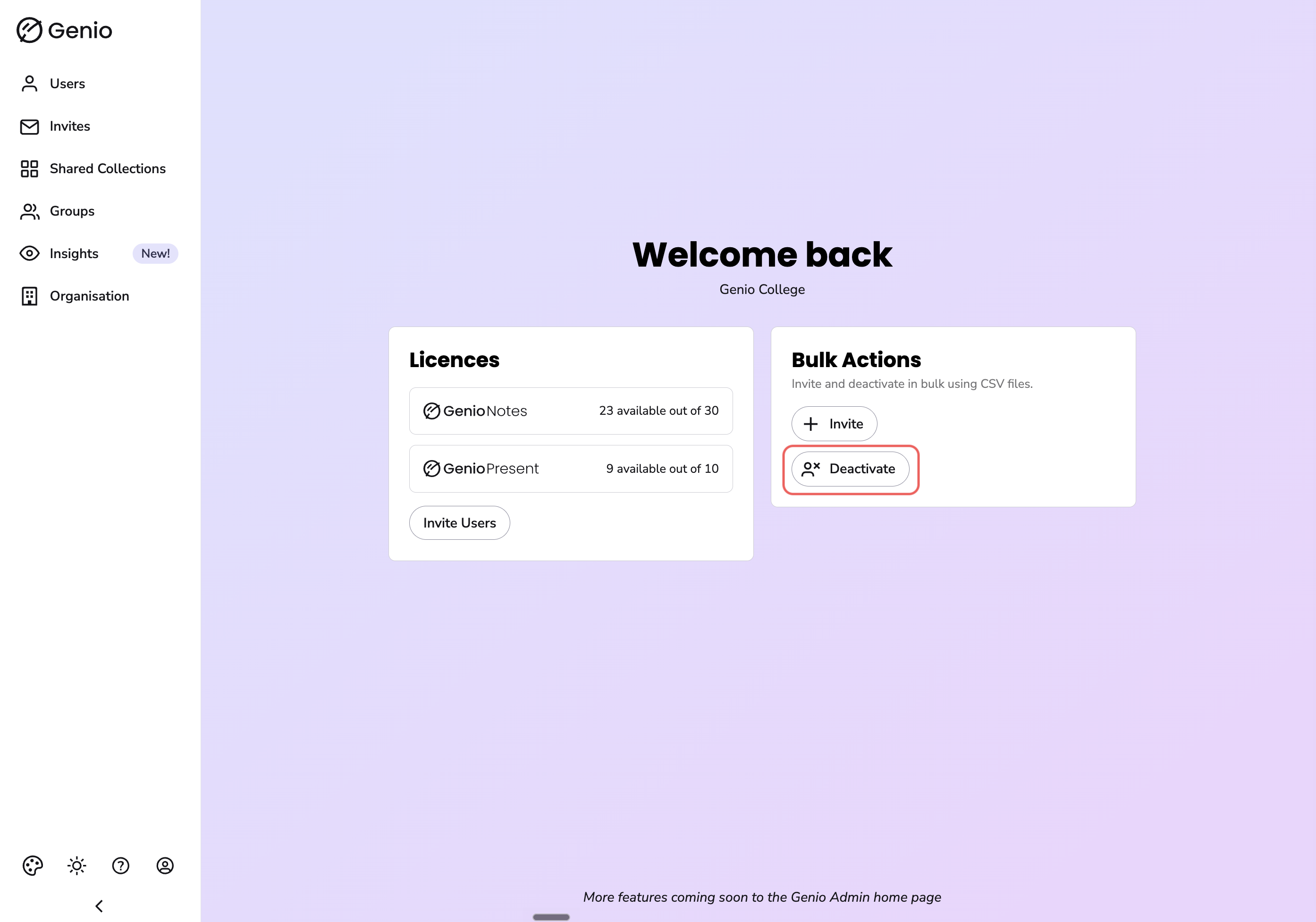
On your Genio Admin home page, find the Bulk Actions card and click Deactivate:
- Click Download the CSV Template.
- Open the template and add the email address of each user you want to deactivate, one per row, under the email heading.
- Save the file as a .csv.
- Click Choose file, select your CSV file and click Upload.

- Genio checks your file and shows a summary of what will happen, including:
- how many users will be deactivated, with the list under Users that will be deactivated
- any users that cannot be deactivated, and why (see below)
- what happens to each product's access once it's deactivated
- Check the summary, then click Deactivate Licenses to confirm. To make changes first, click Cancel, edit your file and upload it again.
- The Bulk Deactivate Summary shows how many users had licences deactivated. Click Finish to return to the home page.
Info - If your file can't be read, make sure it's saved as a .csv file and still has the email heading in the first row.
Info - You'll only see the Deactivate option if your Admin account has permission to deactivate users.
Users that can't be bulk deactivated
A problem with one row won't stop the whole upload. Genio skips any users it can't deactivate and lists them in the summary, so you can check them before confirming. Users are skipped for these reasons:
| Reason shown | What it means |
|---|---|
| …could not be found | No user on your account has that email address. Check it for typos. |
| …already deactivated | The user's access has already been deactivated. |
| …an Admin | Admins can't be deactivated this way. |
| …you | You can't deactivate your own account. |
| …have subscriptions that cannot be deactivated from here | The user's access is managed another way, so it can't be removed through Bulk Deactivate. |
If the same email address appears more than once in your file, the duplicates are ignored, and the user is only deactivated once.
What happens next?
Deactivated users stay on your account but no longer use up any of your seats. For Genio Notes, users lose access straight away but keep edit-only access to their content for a period. For Genio Present, access ends straight away. Find out more in What happens when a subscription ends.
To view or reactivate deactivated users, see Manage Deactivated Users.