
Routines
A routine is something you want to do regularly, a habit rather than a one-off to-do. Examples are drinking water three times a day, or going to the gym twice a week.
In this article:
- See your routines
- Add a routine
- Choose how often it repeats
- Log a routine
- Edit a routine
- Delete a routine
See your routines
Open Plan and select the Routines tab. The current notebook's routines are split into Daily and Weekly.
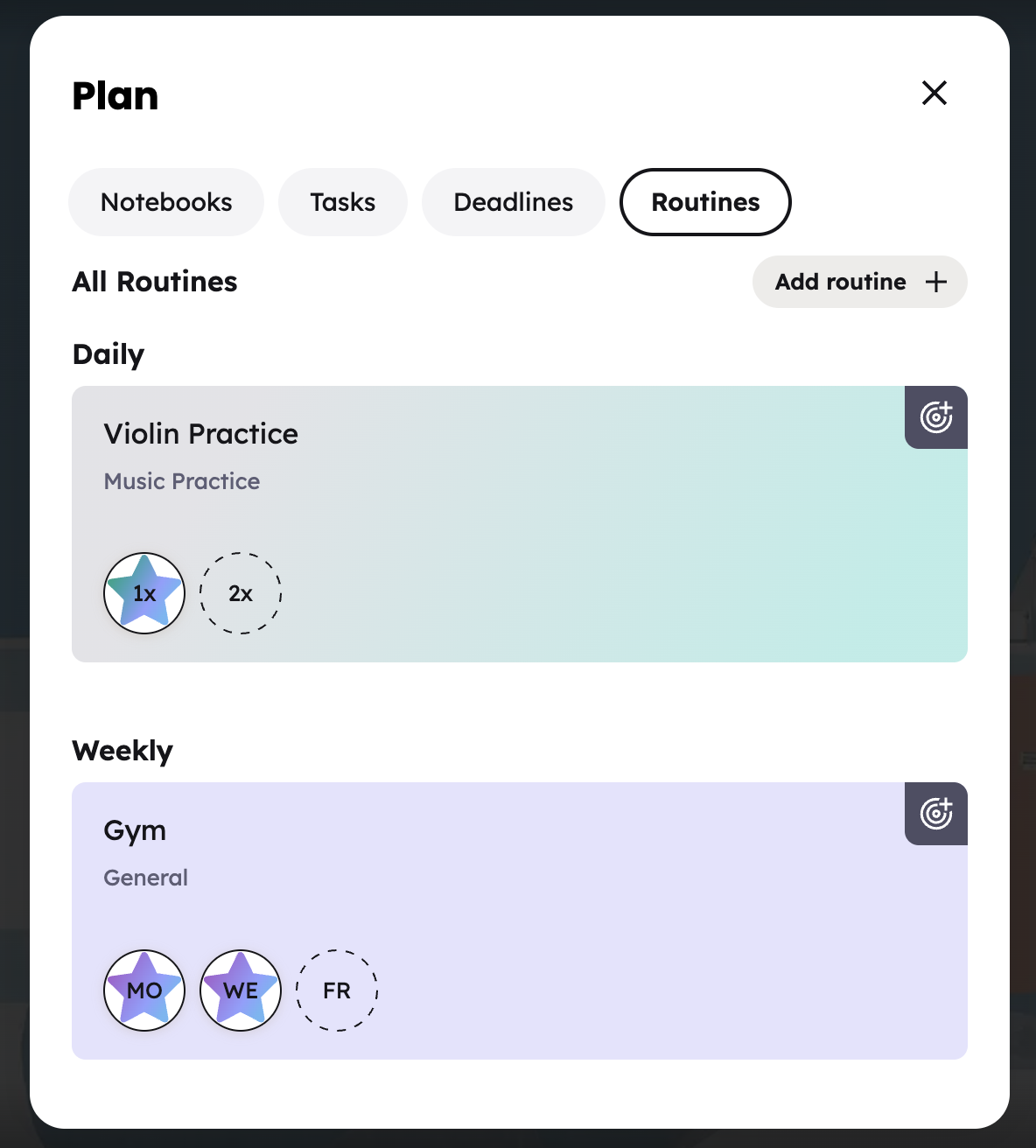
If there are none, you'll see "No routines in this notebook yet."
Add a routine
- Open Quick Add and select the Routine tab. If you're on the Routines tab, Quick Add opens here.
- Give it a name, for example "Stretch and breathe".
- Choose how often it repeats (see below).
- Optionally choose a notebook.
- Select Add.
Choose how often it repeats
- Daily: a number of times each day, from 1 to 7 (e.g. 3 times a day).
- Weekly: a number of times each week, from 1 to 7 (e.g. twice a week, any days).
- Specific days: switch to fixed days and pick the days of the week (e.g. Monday, Wednesday and Friday).
Log a routine
Each routine card has a row of circles, one for each time you've committed to:
- Daily or weekly counts show circles labelled 1x, 2x, and so on. Tap the next empty circle to log one. Tap the last filled circle to undo it.
- Specific days show a circle for each chosen day (MO, WE, FR…). Tap a day to log it. You can fill in a day you missed earlier in the week, but not a day that hasn't happened yet.
Daily circles reset each day. Weekly circles reset each Monday.
Tip: Tapping the routine's name opens its page. Tapping a circle logs it.
Edit a routine
Select a routine's name to open it. Here you can:
- Rename it.
- See today's or this week's progress and log completions.
- Change how often it repeats and which notebook it's in.
- Use Set intention to add it to your Focus Dashboard.
Delete a routine
- Open the routine.
- Select the bin icon (Delete routine).
- Confirm.
Next: bring your routines, tasks and deadlines together and decide what matters today with Intentions.