
Individual Subscription
Individual subscriptions can be purchased during or after your free trial, or when your access to Genio has expired.
You can sign up to a Monthly Subscription or purchase an Annual Licence here: https://genio.co/genio-individual-pricing
In this article:
You can purchase a monthly or annual subscription through our website here:
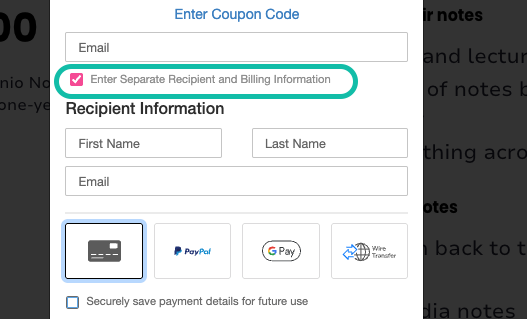
Info - If you're buying a subscription for someone else, then please go to https://genio.co/pricing/individuals#purchase and make sure to tick the box to enter separate recipient and billing details.
If you have an individual Genio plan, you can view and manage your plan from the Account menu.
- Open the burger menu (three lines) in the top right
- Expand the Account section
- Click your name

- Switch to the Plan Tab
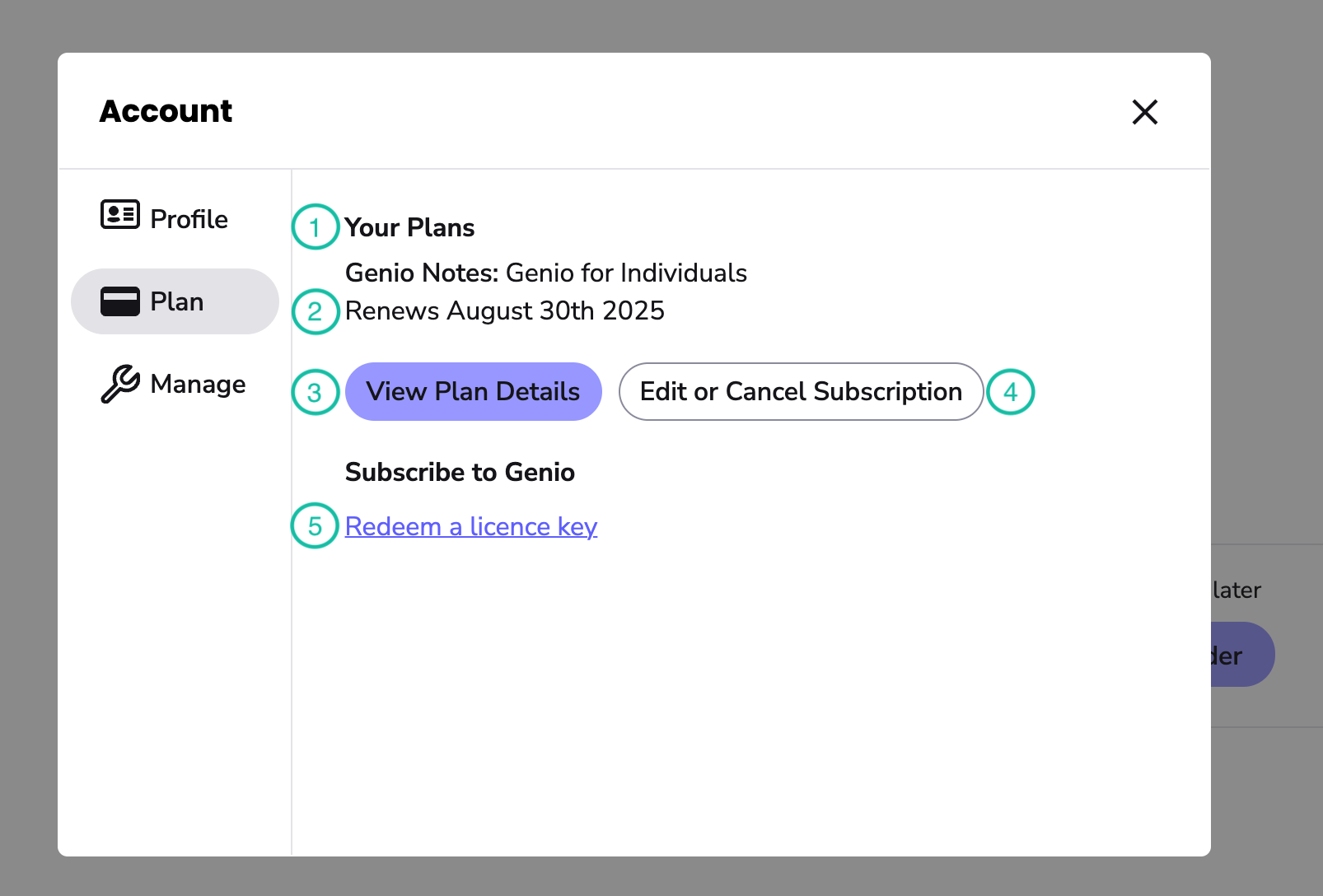
The Plan tab contains the following info on your current Genio subscription:
1.Plan:
The type of subscription that you currently have.
2.Renewal date:
This is the date your subscription is set to renew, and when your next payment will be taken.
If your plan has expired or been cancelled, you'll see an Expiration date instead.
3.View Plan Details button:
This button launches our secure portal, where you can review your subscription.
4.Edit or Cancel Subscription button:
This button launches our secure portal to cancel a subscription or change billing details
You can cancel your monthly subscription at any time, by heading to https://app.genio.co/notes/account/plan
You pay for each month in advance, so you will retain access to Genio for the time that you have already paid for.
5.Activate a license key:
This will take you to https://app.genio.co/notes/activate to activate a licence key.
Have questions about your Genio subscription or payments?
Please contact our subscriptions team on support@genio.co.
Account merging can be initiated in the Manage Tab. Click here for more details.