
Audio Availability
Some institutions may limit how long your recorded audio is available in your Events. This allows everyone to comply with the institutions own recording retention policy.
This is called Audio Availability, and it's controlled by your Genio Admin at your institution.
Info - If you are not part of an institution subscription then this article does not apply to you or your account.
What changes?
If your institution has turned this feature on and set an expiry date, then audio recordings become unavailable to play back after a set period (chosen by your admin).
The default expiry (if enabled) is 12 months, but your Admin could make that shorter or longer.
The expiry date for an individual Event is calculated from the date you created the Event.
When audio becomes unavailable:
-
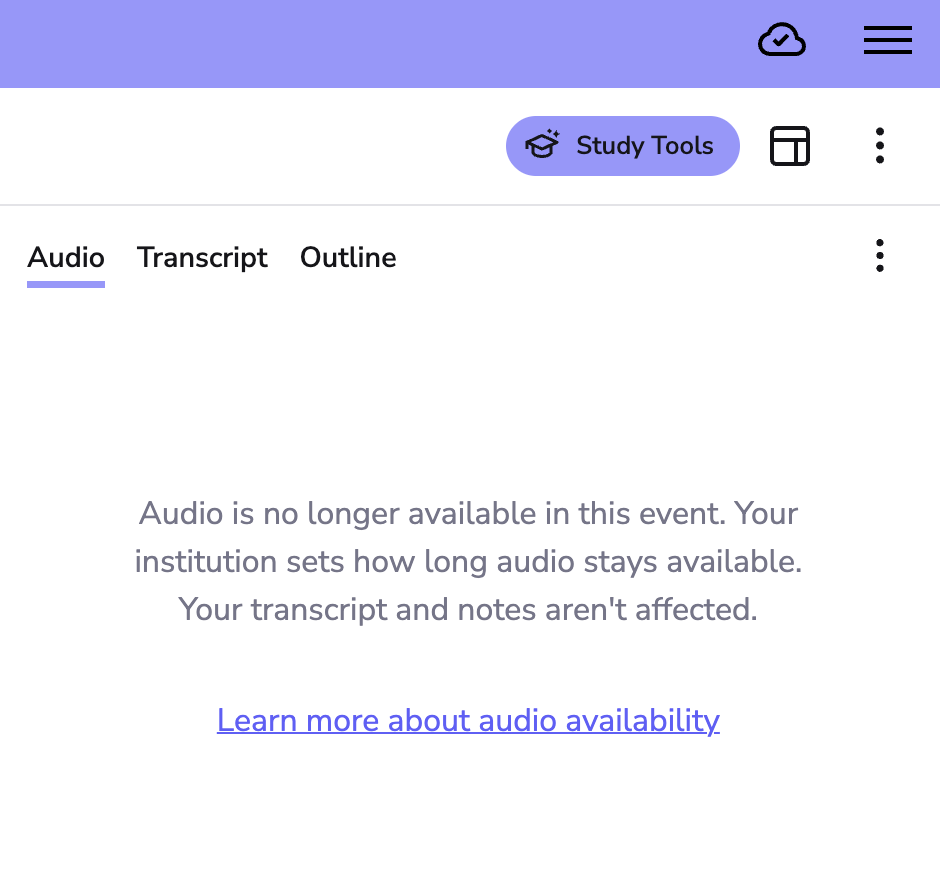
You'll see a message on the Event letting you know the audio is no longer available (see below)
-
Your notes, slides, transcript etc are not affected, and you can keep reading, editing, and studying from them as normal
-
You can still request a transcription, Outlines, Quizzes etc even if the audio is unavailable.
-
You won't be able to record new audio, or import audio into an Event once it's past this point; you'll need to start a new event to keep recording.
Important - If you have any concerns about audio in an Event being unavailable now, or in the future, then you should contact your Genio Admin (the person who invited you to Genio Noes).